Overview

Authentication webhooks are HTTP endpoints you implement to control user access in Ditto applications. When a client device attempts to authenticate, Ditto forwards the authentication request to your webhook, which validates the user’s credentials and returns their permissions. To verify the request is legitimately coming from a Ditto system, Ditto may optionally include a ditto-signature authentication header with every webhook request. This header contains everything your webhook server needs to independently verify that the request is both legitimate (truly from Ditto) and fresh (not a replay attack). See the Signature Algorithm section below for details on how signatures are computed. Your webhook server uses the information in this header to perform verification. By recomputing the signature using your shared secret and comparing it with the provided signatures, your server can confirm:
  • Authenticity: The request genuinely originates from Ditto, not an impersonator
  • Integrity: The payload hasn’t been modified since Ditto signed it
  • Freshness: The timestamp is recent (typically within 5 minutes), preventing replay attacks
This verification relies on a shared secret that only you and Ditto know. Ditto uses this secret to sign requests, and your webhook server uses the same secret to verify that incoming requests are authentic. Only after signature verification passes should your webhook validate user credentials and return permissions. The authentication flow is shown below.

Signature verification

Webhook signature is computed using HMAC-SHA256. Ditto concatenates the timestamp with the raw request body, hashes this payload using a base64-decoded shared secret key, and encodes the output as hexadecimal. The following table breaks down each component of this process:
ComponentDescription
Secret128 bytes (1024 bits) of cryptographically secure random data, base64-encoded (RFC 4648)
PayloadTimestamp concatenated with raw request body: <timestamp>.<raw_body>
AlgorithmHMAC-SHA256 hash of the payload using the decoded secret
Output EncodingHexadecimal representation of the HMAC output
The ditto-signature header has this format:
ditto-signature: t=<timestamp>,v1=<signature1>,v1=<signature2>
where:
  • t=<timestamp> - Unix timestamp in UTC when the request was signed (seconds since epoch)
  • v1=<signature> - HMAC-SHA256 signature(s) in hexadecimal format
An example header:
ditto-signature: t=1764758735,v1=bb741e722b8405c09eb8d3a8824be625dcea15c7c783a625de7fc40926a43125
During secret rotation, Ditto can include multiple v1= signatures in the header, one for each active secret. This allows zero-downtime rotation: your endpoint can validate with either the old or new secret during the transition period.
The examples below include a language-agnostic pseudocode algorithm followed by implementations in Node.js, Python, Rust, and Go. You can adapt these to any language or framework for your server-side webhook endpoint.
VERIFY_WEBHOOK_SIGNATURE(request):
    // 1. Extract and parse signature header: "t=1234567890,v1=abc123,v1=def456"
    header = request.headers["ditto-signature"]
    if header is missing:
        reject request (missing signature)

    parts = header.split(",")
    timestamp = extract value after "t=" from parts[0]
    provided_signatures = extract values after "v1=" from parts[1..]

    // 2. Validate timestamp freshness (replay protection)
    current_time = current UTC timestamp in seconds
    age = |current_time - timestamp|
    if age > 300 seconds:
        reject request (too old, possible replay attack)

    // 3. Reconstruct signed payload
    raw_body = request.raw_body_bytes()  // CRITICAL: raw bytes, not parsed JSON
    payload = timestamp + "." + raw_body

    // 4. Compute expected signatures for active secrets
    expected_signatures = []
    for each secret_base64 in YOUR_ACTIVE_SECRETS:
        secret_bytes = base64_decode(secret_base64)
        hmac = HMAC-SHA256(secret_bytes, payload)
        expected_signatures.append(hex_encode(hmac))

    // 5. Verify at least one signature matches
    for each expected in expected_signatures:
        for each provided in provided_signatures:
            if expected == provided:
                return accept request (authorized)

    return reject request (invalid signature)
Use Raw Request Body: Signature verification MUST use the raw request body bytes before any parsing or transformation. Most web frameworks automatically parse JSON, so you need to capture the raw buffer before parsing.Common mistake: Using JSON.stringify(req.body) instead of the original raw bytes. This will fail because JSON stringification may change whitespace or key ordering.

Manage Secrets

This section covers the complete lifecycle of webhook secrets: creating new secrets, listing active secrets, and deleting old or compromised secrets. You can manage secrets either through the Ditto Portal’s web interface or programmatically via the HTTP API. Webhook secrets have three timestamp fields that control their lifecycle:
FieldTypeDescription
notBeforeRFC 3339 DateTimeSecret becomes valid at this time
notAfterRFC 3339 DateTimeSecret expires at this time
rotatedRFC 3339 DateTime or nullTimestamp when secret was marked for rotation (null if active)

Add a New Secret

Webhook signatures are disabled by default. To enable them, simply generate a webhook secret via the Ditto Portal or HTTP API. Once you create a secret, Ditto automatically starts including the ditto-signature header in all webhook requests, allowing your server to validate request authenticity. Using Ditto Portal:
1

Navigate to Your App

In the Ditto Portal, select your application from the dashboard.
2

Access Webhook Configuration

Go to SettingsAuthenticationWebhook Providers.Click next to your webhook provider to open the configuration dialog.
3

Generate Secret

Click Generate Secret. The default validity period is 1 year.
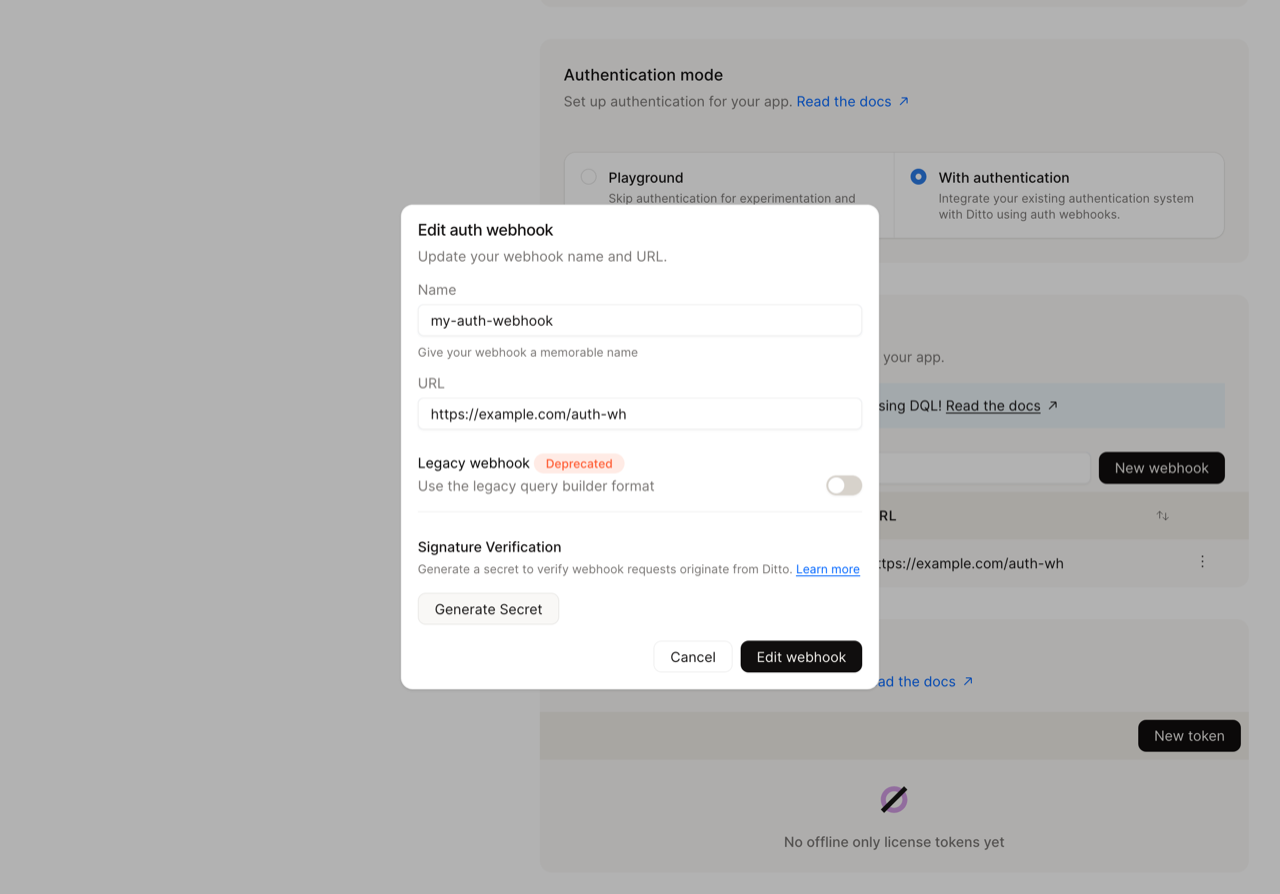
Generate webhook secret button
4

Display and Save Secret Securely

Click on the eye icon to display and copy the secret.
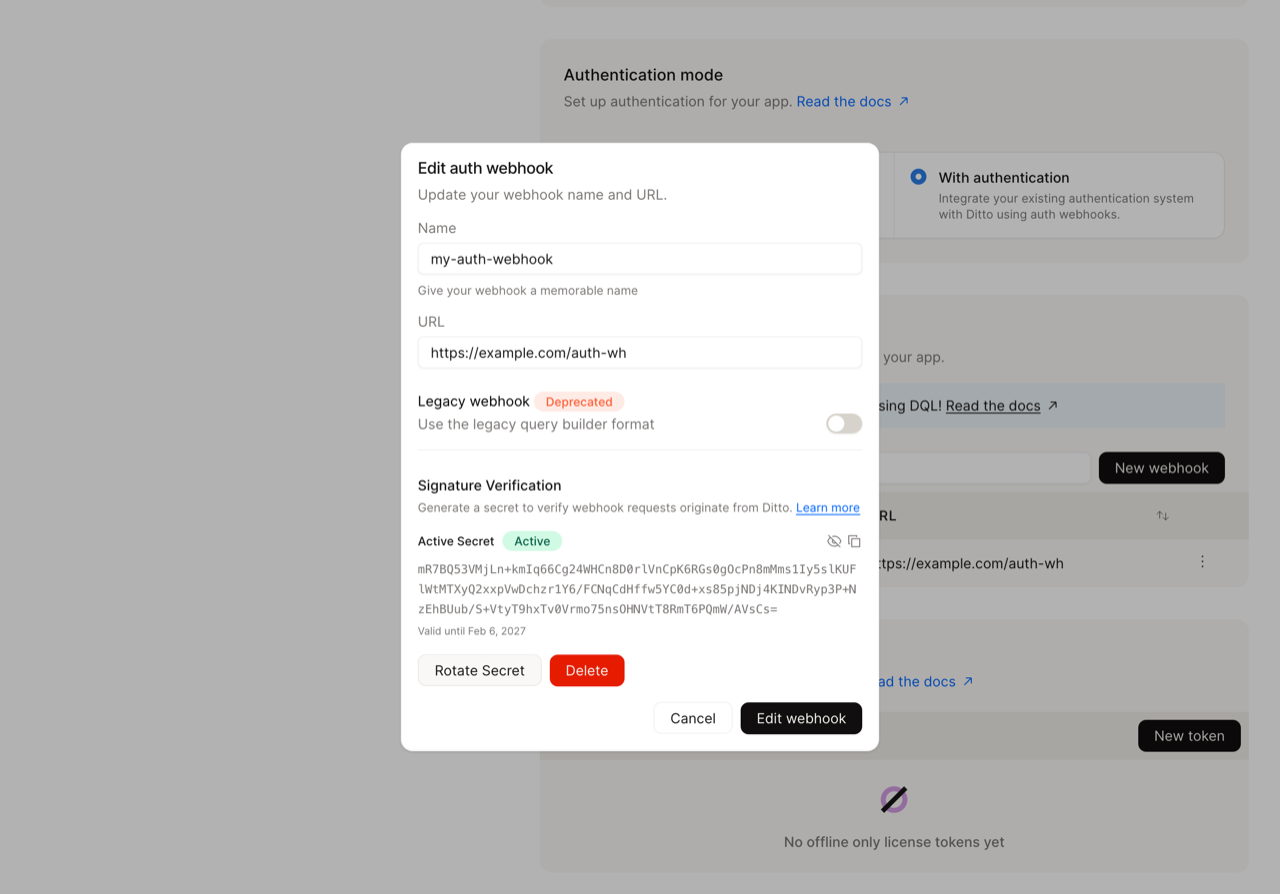
Revealed webhook secret with copy button
Using the HTTP API:
To use the HTTP API, you’ll need an API key with appropriate permissions. See HTTP API Authentication for details on creating and managing API keys.
curl -X POST "https://{ditto-instance}/{app_id}/api/v4/auth/webhook/secret" \
  -H "Content-Type: application/json" \
  -H "Authorization: Bearer {your-api-key}" \
  -d '{
    "provider": "myProvider",
    "notBefore": "2025-01-21T10:00:00Z",
    "notAfter": "2025-04-21T10:00:00Z"
  }'
Response:
{
  "secret": "9Ia9MRGrSVVPGVS64LqaUNUjAwJWs4sMMPK9TdVqHWM...",
  "notBefore": "2025-01-21T10:00:00Z",
  "notAfter": "2025-04-21T10:00:00Z",
  "rotated": null
}

List Active Secrets

Using Ditto Portal: In the webhook configuration dialog, active secrets are displayed in the Signature Verification section with their validity period and status.
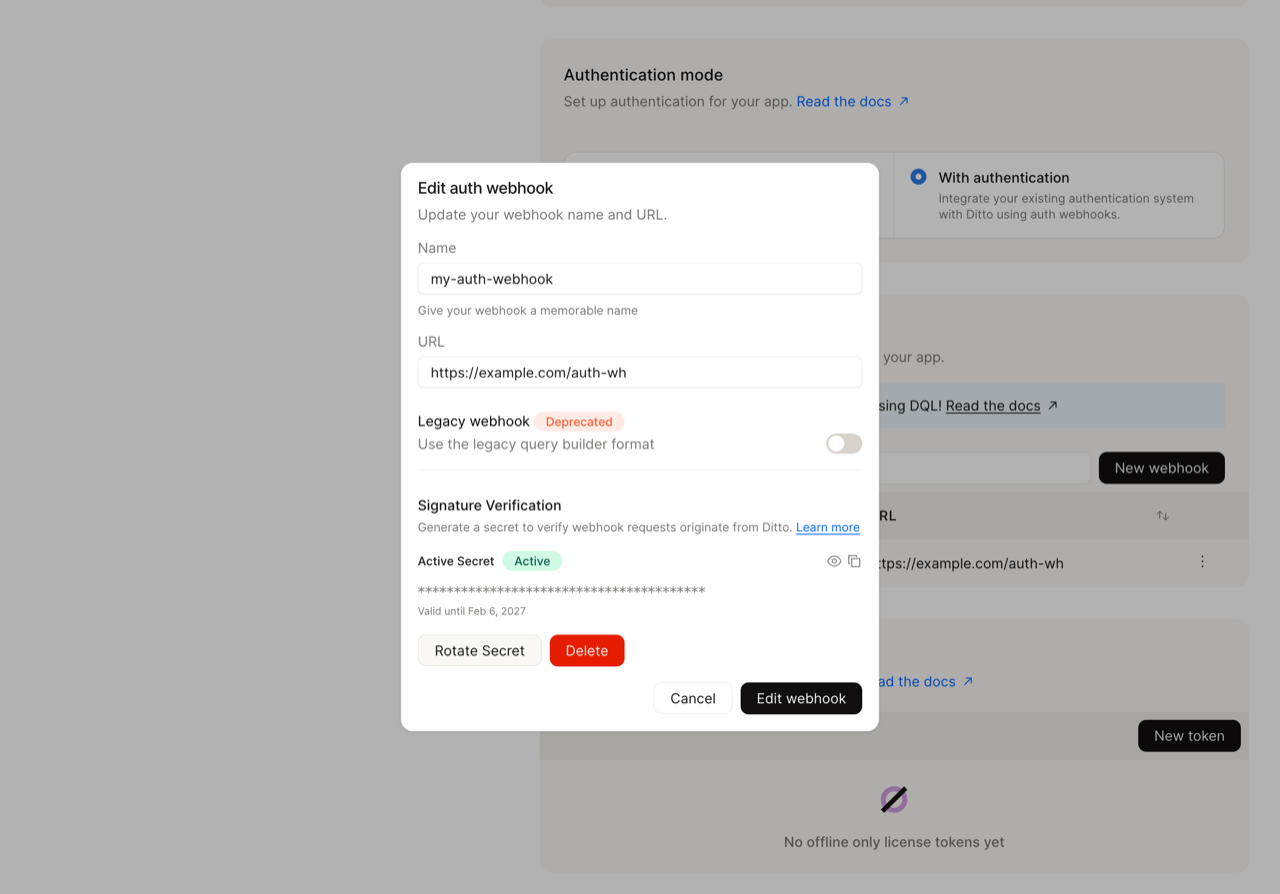
Active webhook secret in portal
Using the HTTP API:
curl -X GET "https://{ditto-instance}/{app_id}/api/v4/auth/webhook/secret?provider=myProvider" \
  -H "Authorization: Bearer {your-api-key}"
Response:
[
  {
    "secret": "9Ia9MRGrSVVPGVS64LqaUNUjAwJWs4sMMPK9TdVqHWM...",
    "notBefore": "2024-04-21T10:00:00Z",
    "notAfter": "2025-04-22T10:00:00Z",
    "rotated": "2025-04-21T10:00:00Z",
  },
  {
    "secret": "kL3pQwXtYzH8mN2vB7cR5dF9gJ4hK6lM1nP0qS8uV...",
    "notBefore": "2025-04-21T10:00:00Z",
    "notAfter": "2026-04-22T10:00:00Z",
    "rotated": null
  }
]

Delete Active Secrets

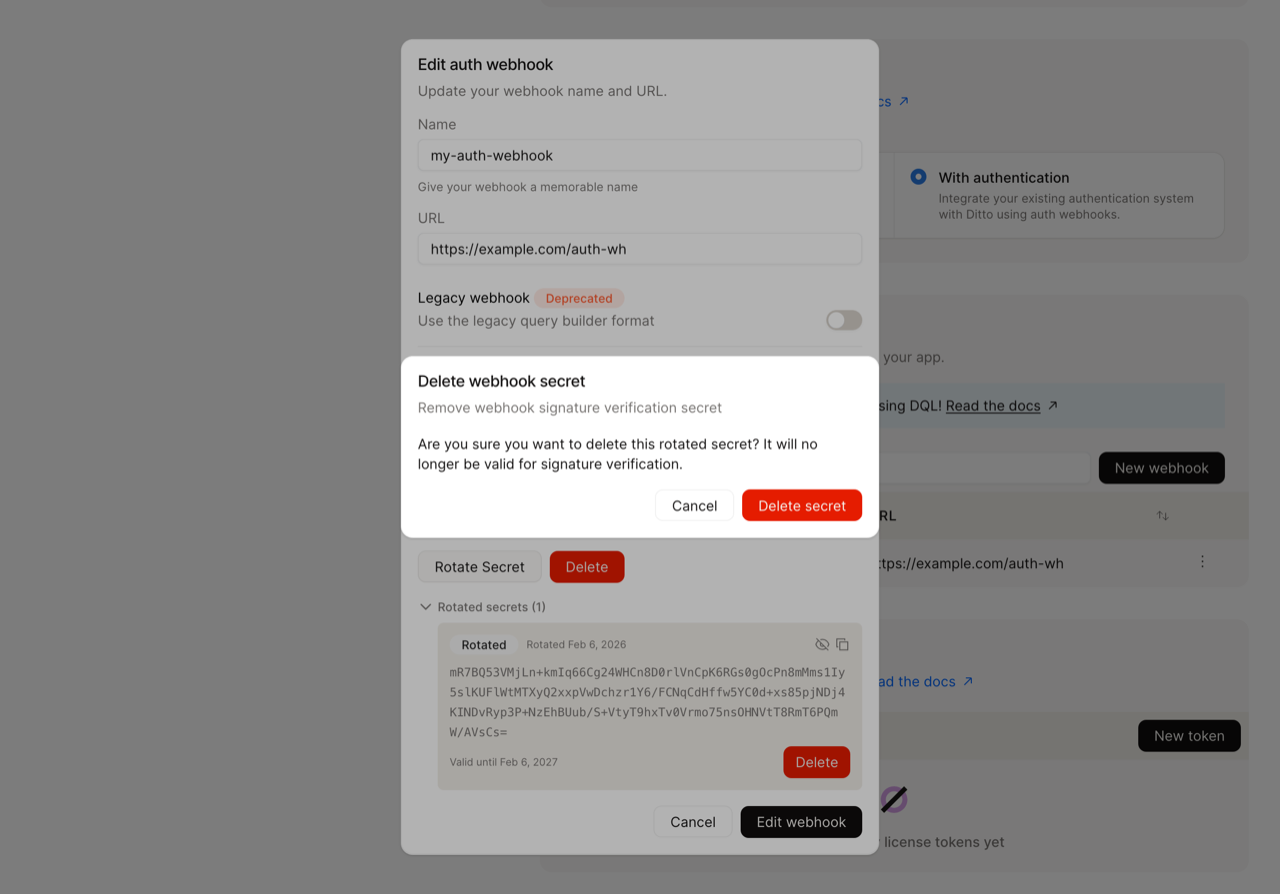
You can delete old secrets after completing rotation or if you need to revoke a compromised secret. Using Ditto Portal: Click the Delete button next to the secret you want to remove. A confirmation dialog will appear to prevent accidental deletion.
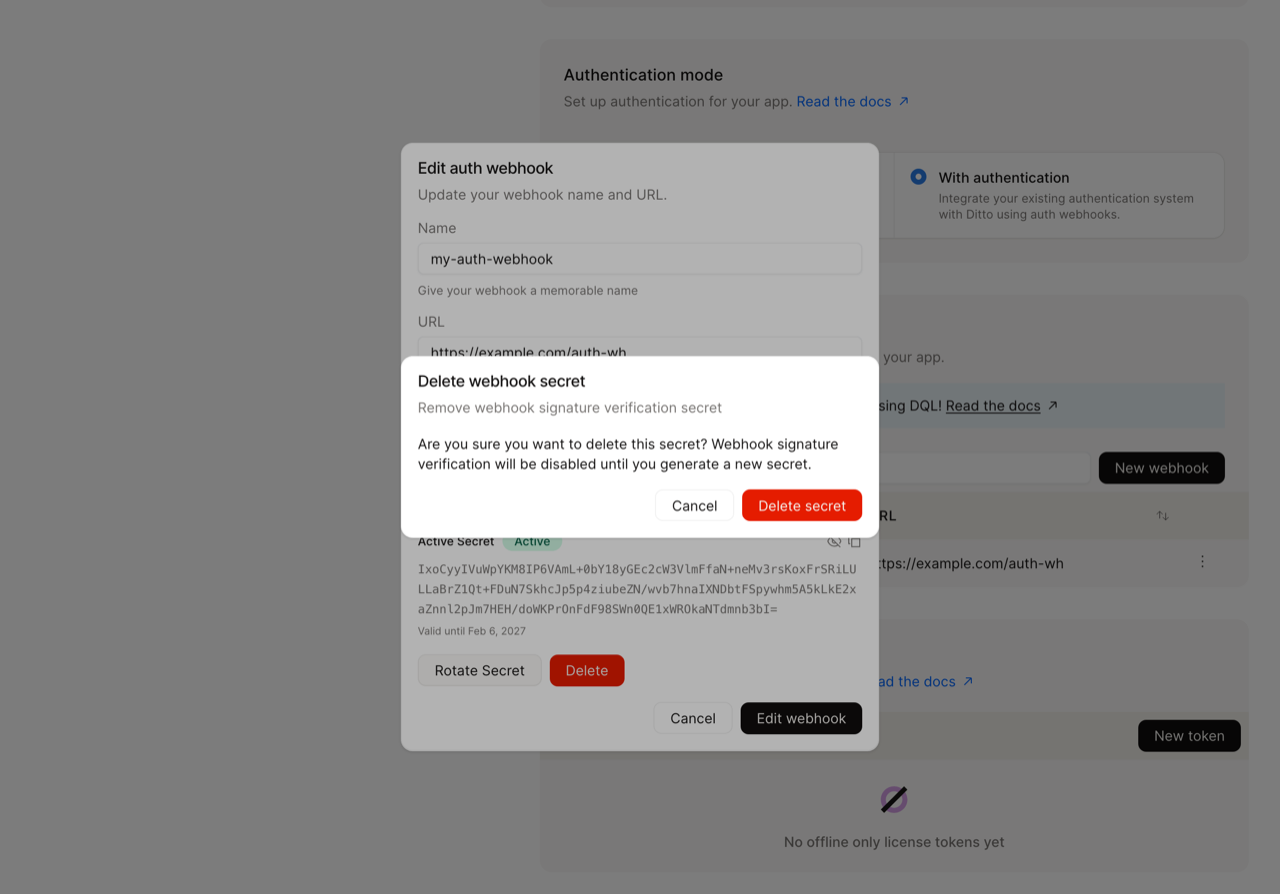
Delete webhook secret confirmation
If you delete your only active secret, webhook signature verification will be disabled until you generate a new secret.
Using the HTTP API:
curl -X DELETE "https://{ditto-instance}/{app_id}/api/v4/auth/webhook/secret" \
  -H "Content-Type: application/json" \
  -H "Authorization: Bearer {your-api-key}" \
  -d '{
    "provider": "myProvider",
    "secret": {
      "secret": "{secret-value-to-delete}",
      "notBefore": "2025-01-21T10:00:00Z",
      "notAfter": "2025-04-21T10:00:00Z"
    }
  }'

Rotate Active Secrets

User-Initiated Process: Secret rotation is your responsibility and requires coordinated action on both Ditto and your infrastructure. You must generate a new secret via the Ditto Portal or API, then update your webhook servers to validate with both the old and new secrets before removing the old one. Ditto does not automatically rotate secrets.
Ditto supports zero-downtime secret rotation by allowing multiple secrets to be active simultaneously. When rotating webhook secrets, the old and new secrets have an overlap period where both are simultaneously valid and active. During this overlap, Ditto signs all webhook requests with both secrets (including multiple v1= signature entries in the header), and your endpoint only needs to successfully validate against one of the provided signatures. This dual-signature approach allows you to incrementally update your webhook servers without any authentication failures. You can deploy the new secret to your infrastructure gradually, verify it works, and only then remove the old secret, eliminating the risk of downtime during the transition. Timeline explanation:
  • Old Secret Valid Period: Secret is active from notBefore until the overlap begins
  • Overlap Period: Both secrets are active and accepted - no downtime
  • New Secret Valid Period: New secret continues after old secret’s notAfter

Step-by-Step Rotation Guide

1

Generate New Secret

Mark the old secret for rotation and generate a new one:Using Ditto Portal:
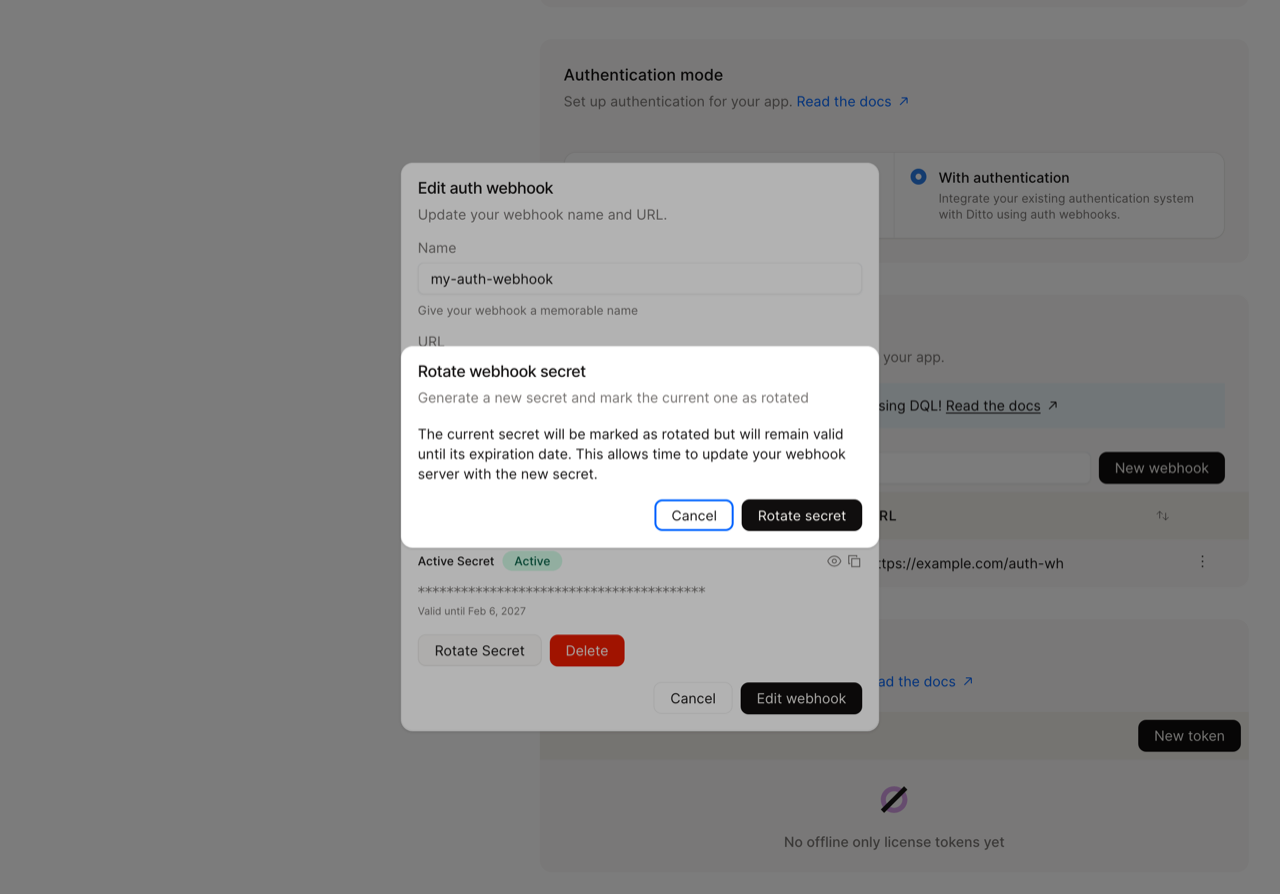
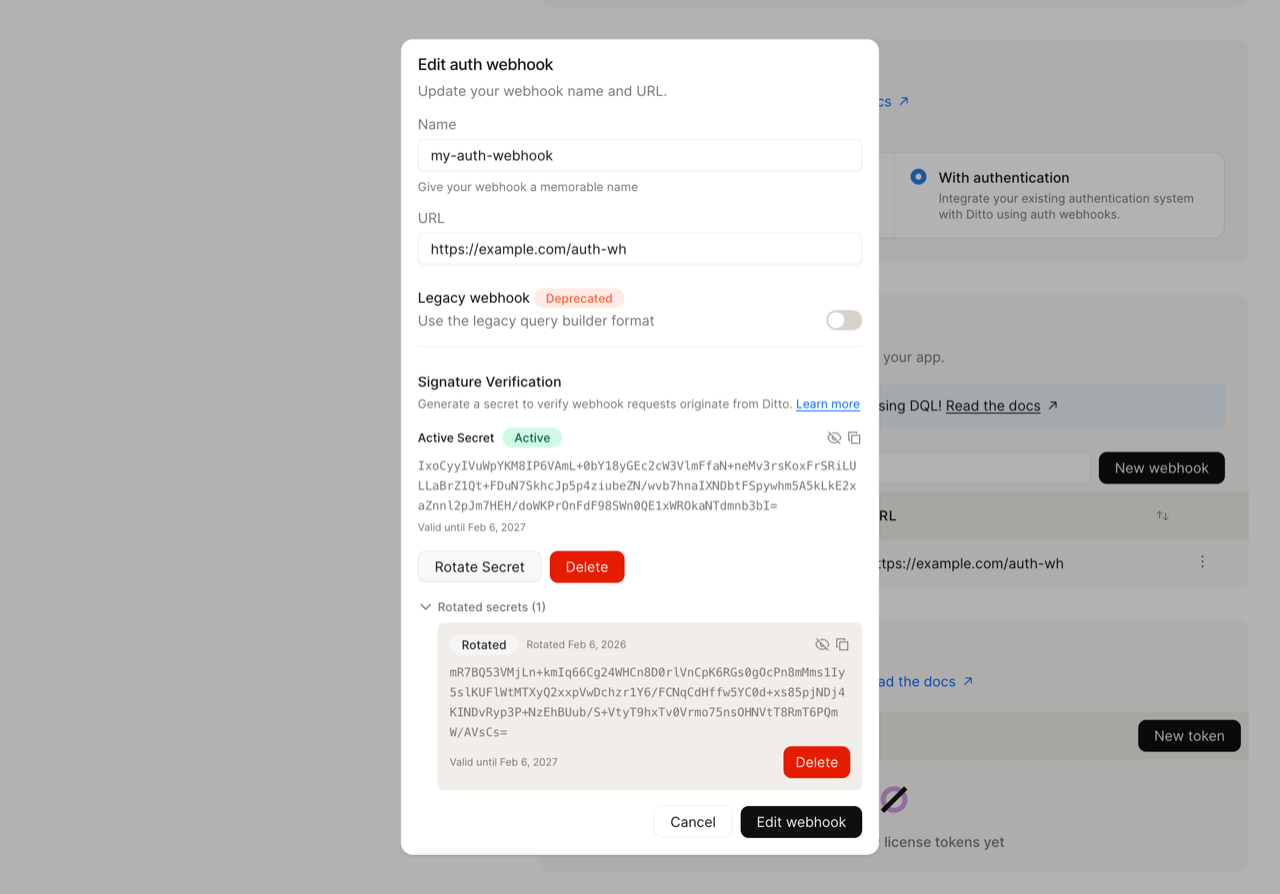
  1. Select the active secret and click Rotate Secret.
  2. Confirm the rotation. The current secret will remain valid until its expiration date.
Rotate webhook secret dialog
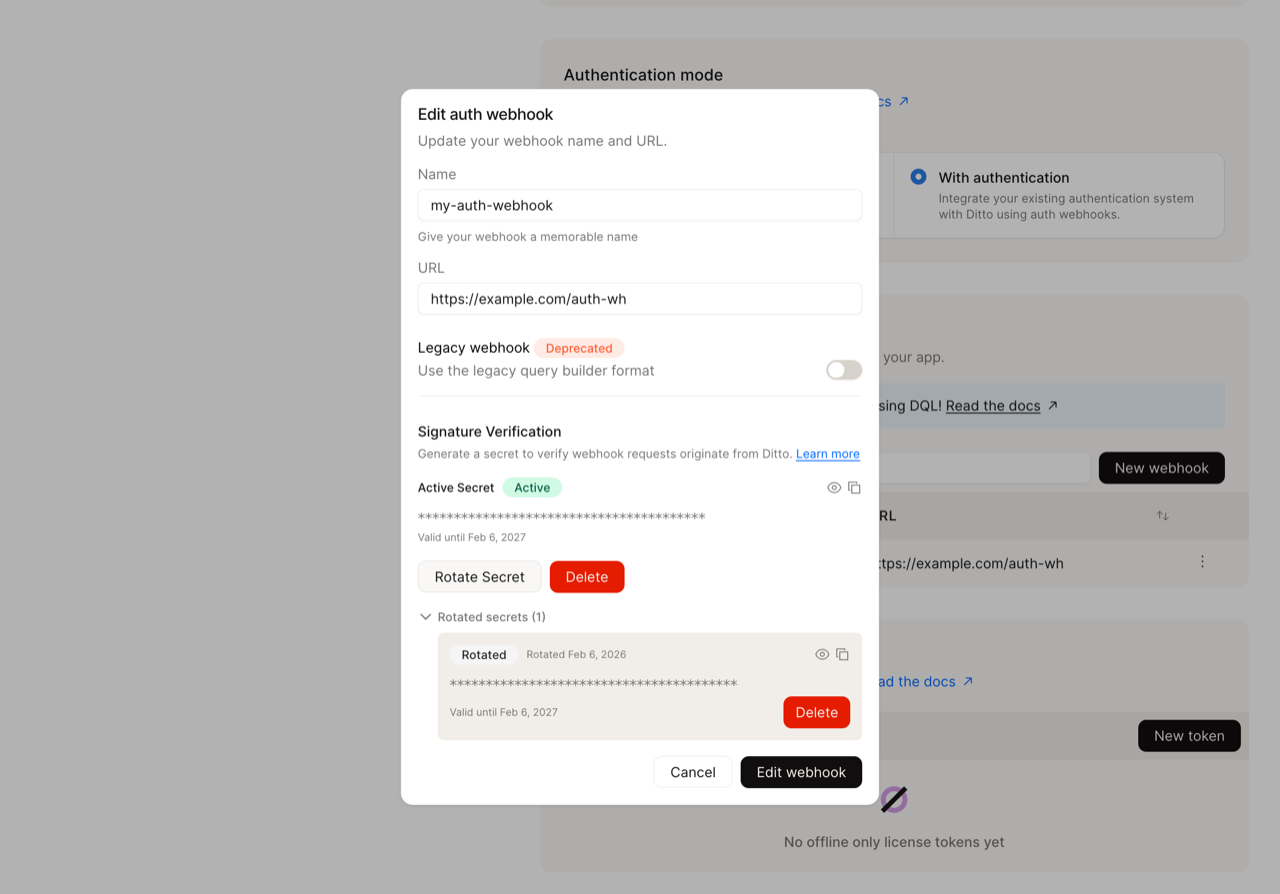
  1. After rotation, both secrets are visible. The old secret is marked as Rotated and the new one as Active.
Both old and new secrets shown after rotation
  1. Click the eye icon to reveal and copy the new secret immediately and store it securely.
Both secrets revealed
Or via the HTTP API:
curl -X POST "https://{ditto-instance}/{app_id}/api/v4/auth/webhook/secret/rotate" \
  -H "Content-Type: application/json" \
  -H "Authorization: Bearer {your-api-key}" \
  -d '{
    "provider": "myProvider",
    "rotate": {
      "secret": "{current-secret-value}",
      "notBefore": "2025-01-21T10:00:00Z",
      "notAfter": "2025-04-21T10:00:00Z"
    },
    "new": {
      "notBefore": "2025-01-21T15:00:00Z",
      "notAfter": "2025-07-21T15:00:00Z"
    }
  }'
Response:
{
  "secret": "aB2cD3eF4gH5iJ6kL7mN8oP9qR0sT1uV...",
  "notBefore": "2025-01-21T15:00:00Z",
  "notAfter": "2025-07-21T15:00:00Z",
  "rotated": null
}
2

Update Your Webhook Endpoint

Add the new secret to your webhook endpoint, keeping the old secret active (see implementation examples).
3

Deploy Your Application

Deploy your updated webhook endpoint with both secrets configured.
4

Verify Webhooks Work

Test that your webhook endpoint successfully verifies signatures.
5

Wait for Transition Period

Keep both secrets active for at least 24-48 hours to ensure all in-flight requests complete and no cached configurations remain.
6

Remove Old Secret from Application

After the transition period, remove the old secret from your webhook endpoint configuration and redeploy.
7

Delete Old Secret from Ditto

Clean up by deleting the old secret.
Expired secrets are not automatically deleted: Ditto does not garbage collect expired secrets. While expired secrets are no longer used in the ditto-signature header, they remain in internal storage until explicitly deleted. This design ensures that all secret management operations are user-initiated, giving you full control over your security configuration. It’s your responsibility to delete old or expired secrets when they’re no longer needed.
Using Ditto Portal:
  1. Select the old rotated secret and click Delete.
  2. Confirm the deletion.
Delete old rotated webhook secret
Using the HTTP API:
curl -X DELETE "https://{ditto-instance}/{app_id}/api/v4/auth/webhook/secret" \
  -H "Content-Type: application/json" \
  -H "Authorization: Bearer {your-api-key}" \
  -d '{
    "provider": "myProvider",
    "secret": {
      "secret": "{old-secret-value}",
      "notBefore": "2025-01-21T10:00:00Z",
      "notAfter": "2025-04-21T10:00:00Z"
    }
  }'

Migration Path

In case you already have webhooks without signature verification, you can add security with zero downtime as follows:
1

Generate Secret Without Enforcing Verification

Create a webhook secret via the Ditto Portal or HTTP API, but don’t start verifying signatures in your application yet.
2

Deploy Verification Code (Disabled)

Add the signature verification code to your application with a configuration setting that keeps verification disabled. Deploy this version.
3

Enable Verification

Update your webhook endpoint configuration to enable signature verification.
4

Redeploy and Verify

Monitor logs to ensure all webhook requests are successfully verified and your clients can successfully connect. Your webhooks are now secured!

Common Pitfalls

Here’s a list of common pitfalls you may encounter when implementing your own webhook signature validation.
ProblemPossible CauseSolution
Signature never matchesUsing parsed JSON body instead of raw bytesAccess raw request buffer before JSON parsing (see code examples)
Intermittent failuresClock skew > 5 minutes between serversSync server clocks with NTP, increase tolerance if needed
Old signatures fail after rotationNot handling multiple signatures in headerParse ALL v1= entries from header, validate against all configured secrets
Base64 decoding errorsUsing URL-safe base64Use standard RFC 4648 base64
Constant validation errors after deploymentForgot to update secret in environmentDouble-check environment variables are updated and deployment picked them up